

Kitchen labelling software, with the information behind every label.
Bring items, ingredients, allergen information and date settings into one workflow. Reuse the details your team has checked, preview each label and send it to your printer.
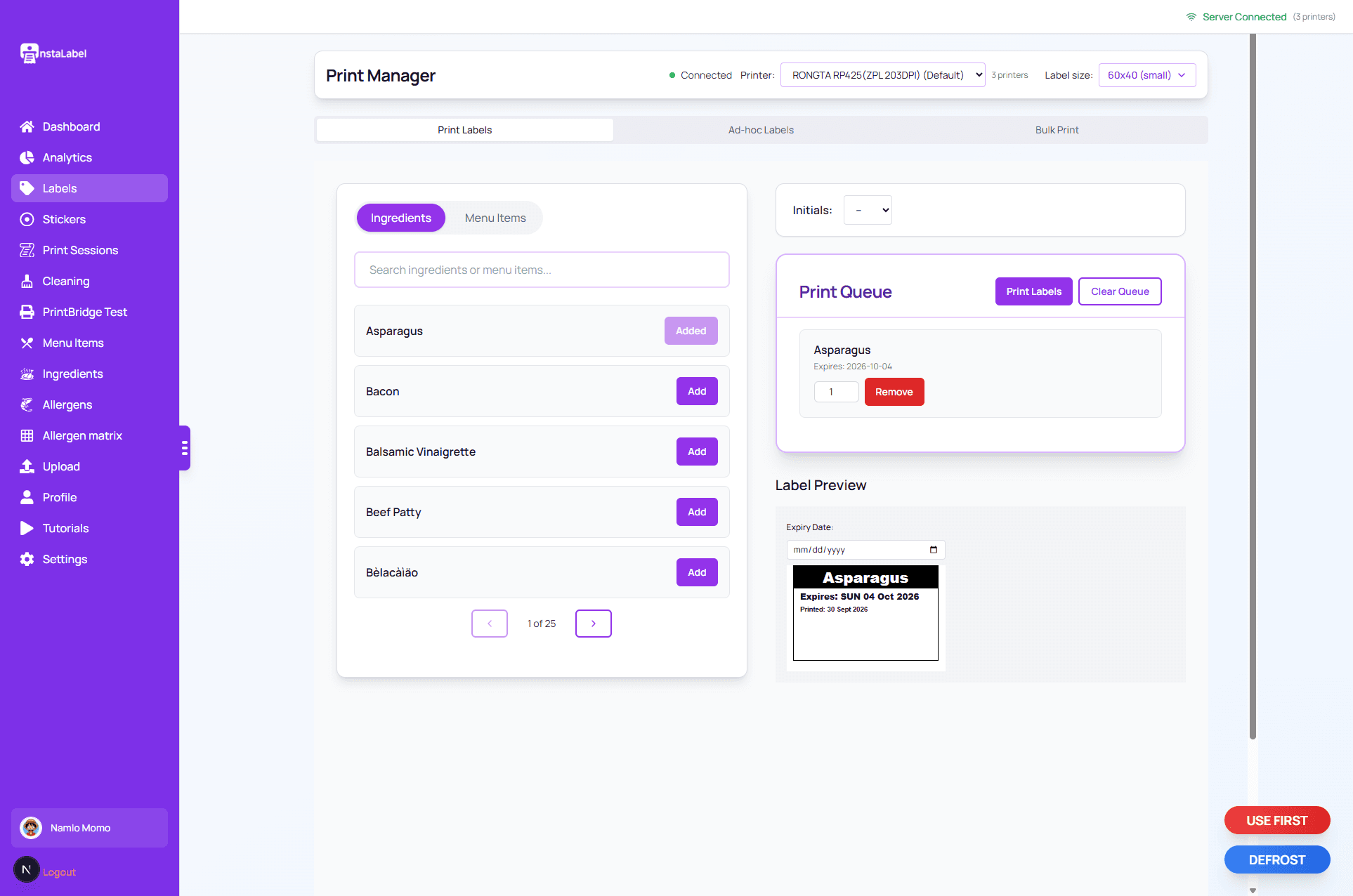
Print screen showing an item selected for labelling and its label preview.
From saved ingredients to a printed label.
Save the information once. Staff select the item, check it, and print.
1
Ingredients
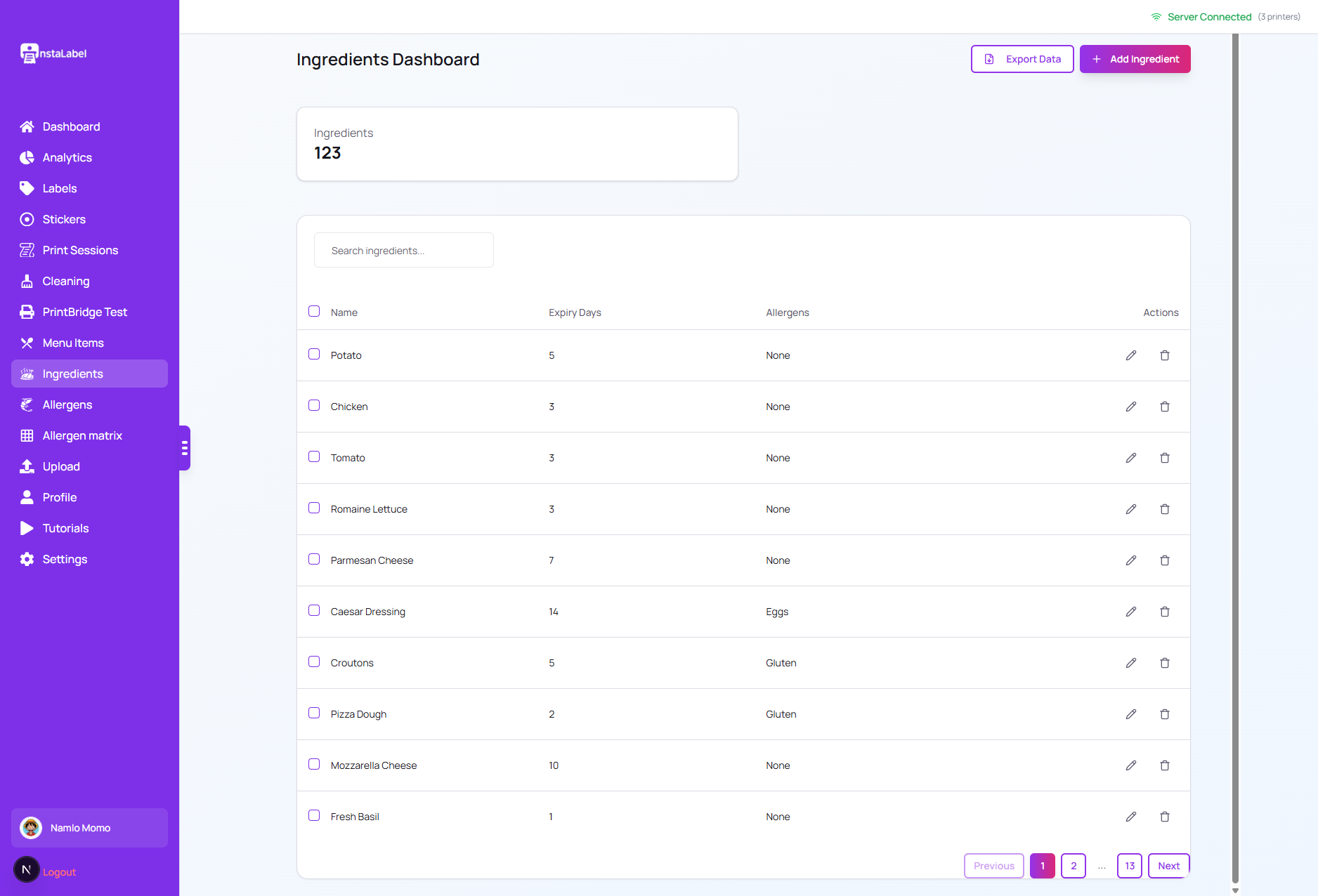
Save the ingredients your kitchen uses, including the allergen information recorded for each one.
Ingredients 2
Menu item
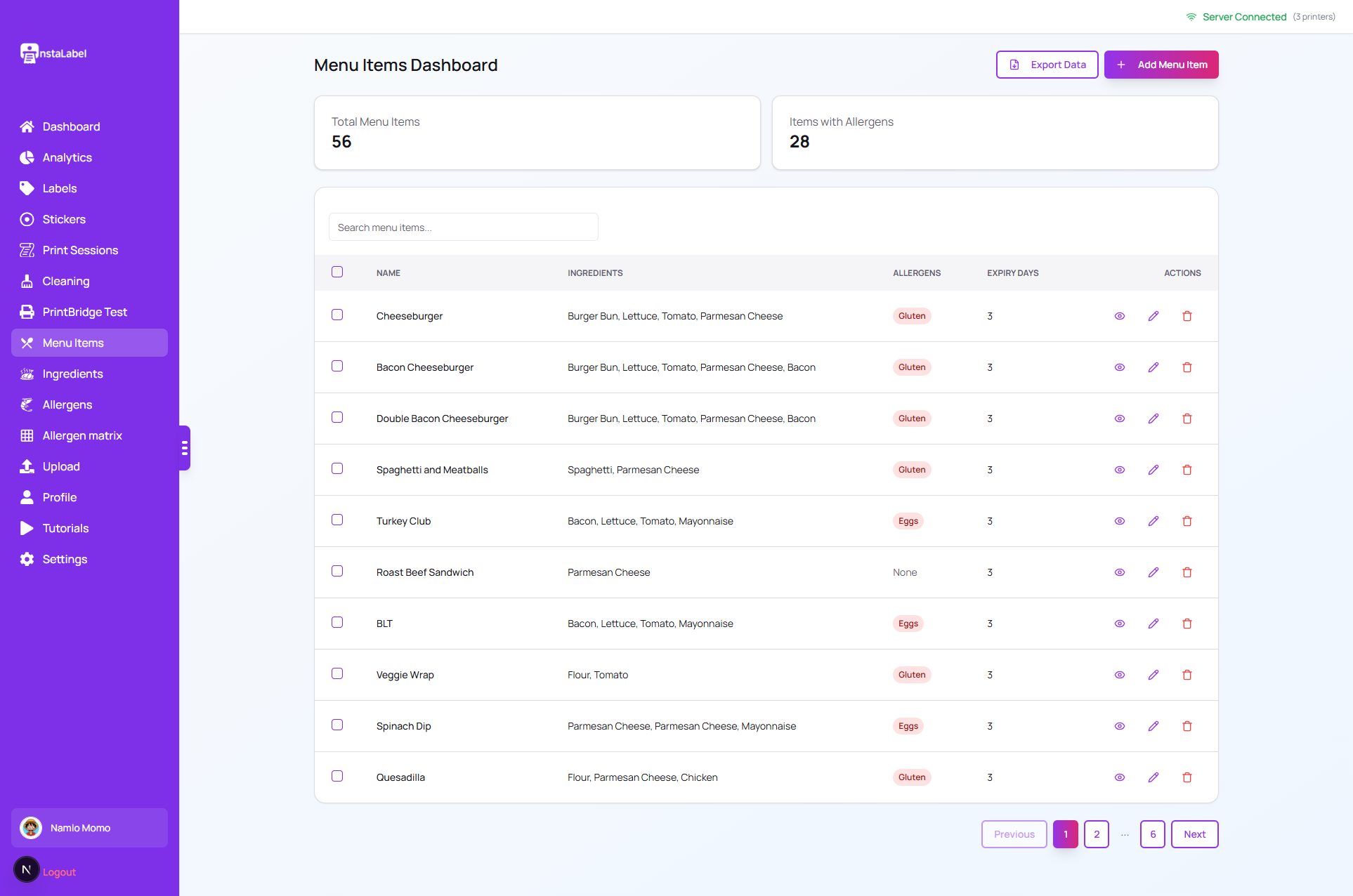
Attach those ingredients to the dish or prep item staff will select at the printer.
Menu item 3
Allergens
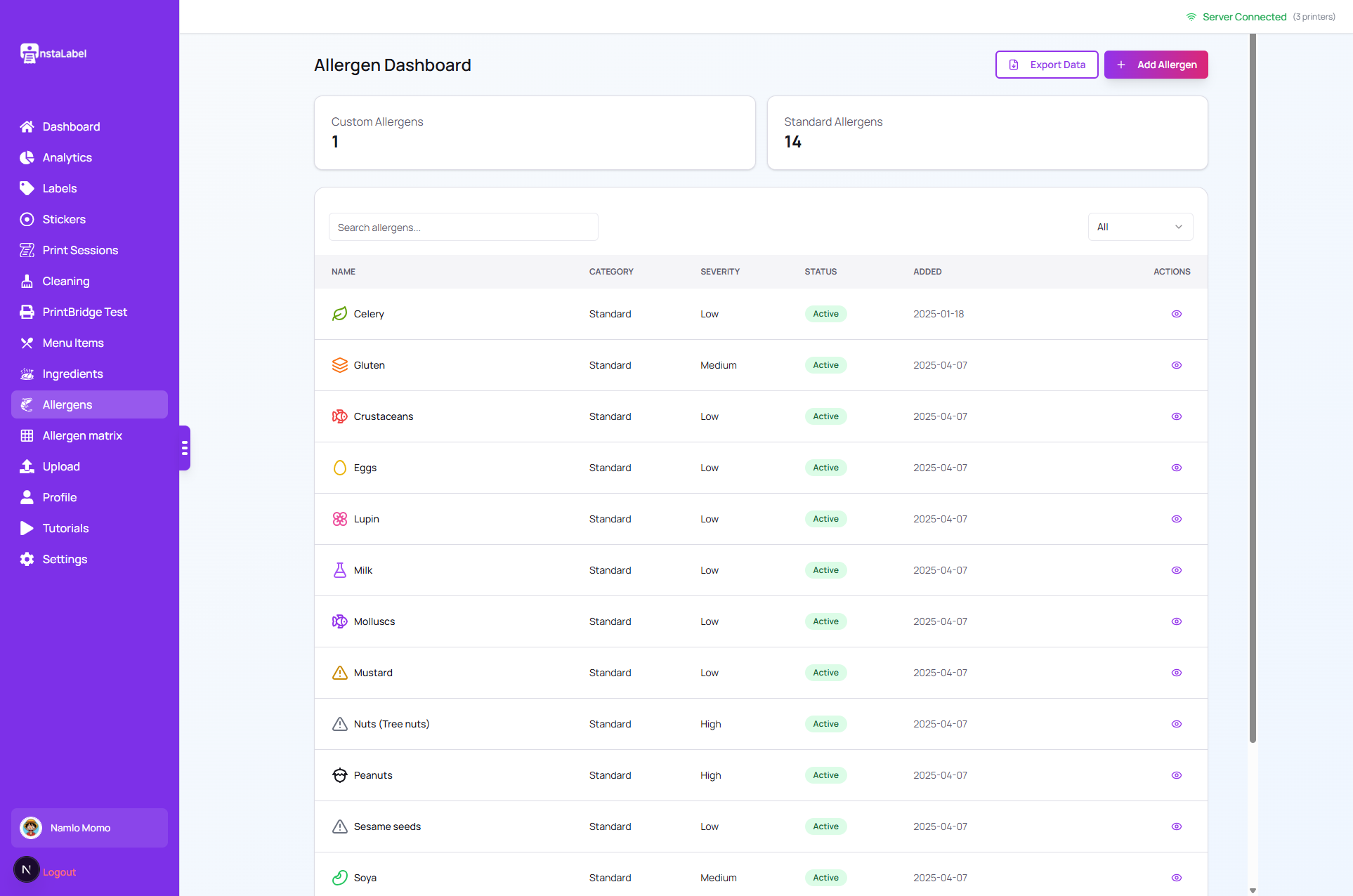
Allergen information saved on the ingredients can be carried onto the label. Staff still check the recipe and the supplier information.
Allergens 4
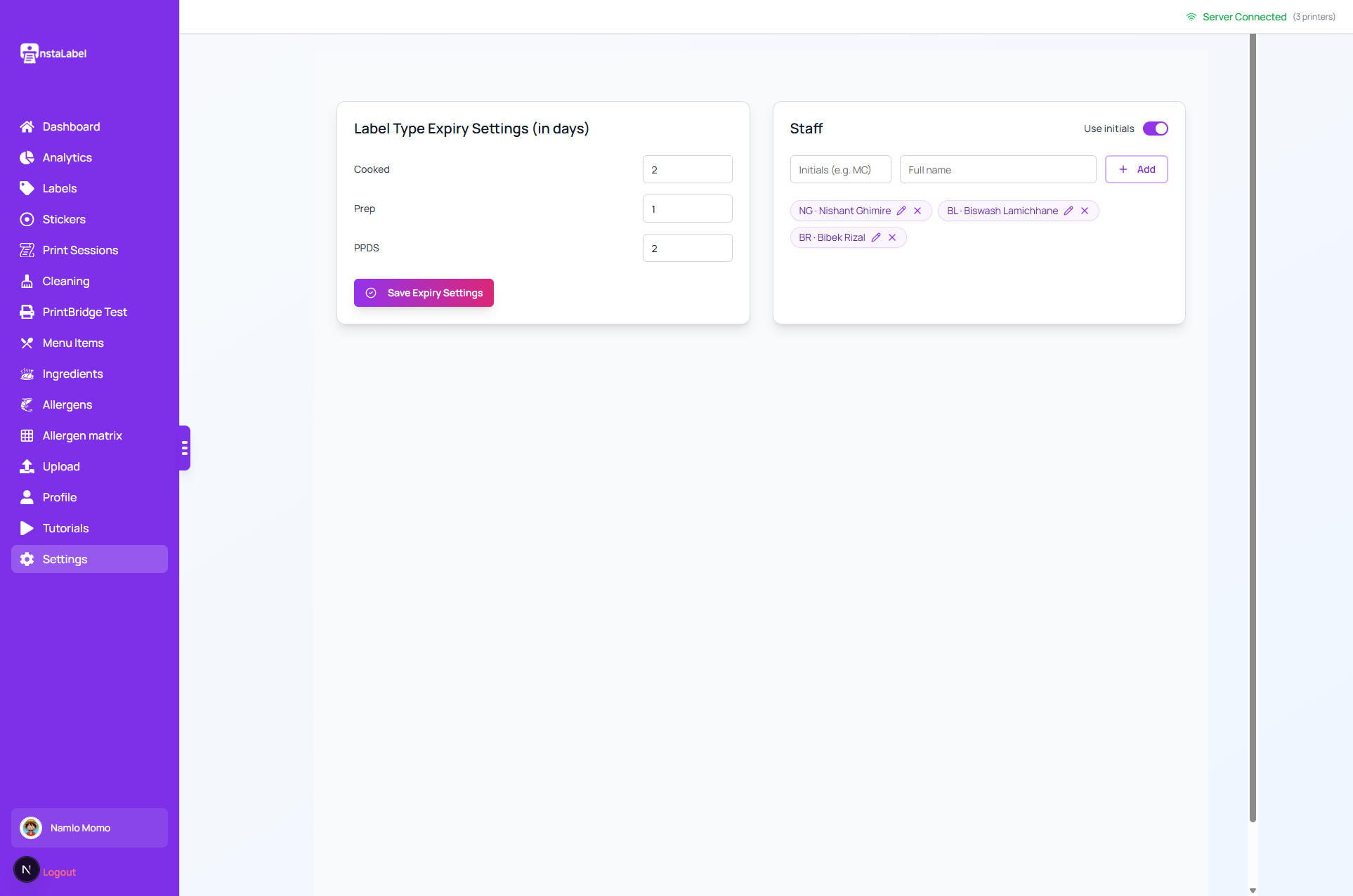
Date rules you set
Your business sets the date rules. InstaLabel applies those settings when it prepares the label. It does not decide shelf life.
Date rules you set 5
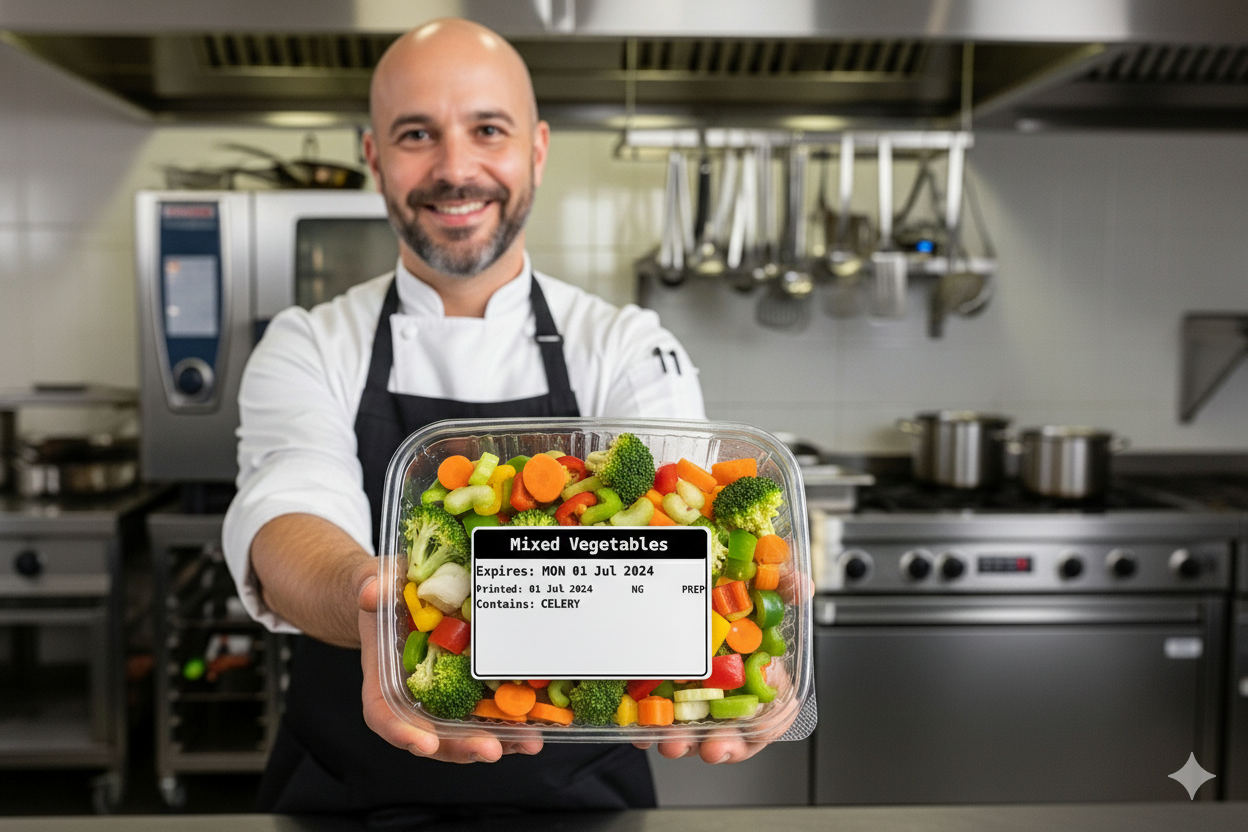
Finished label
Review the preview, then print from a computer with PrintBridge or from the Android app on a supported printer.
Finished label
Cleaning checklists for the tasks you already run.
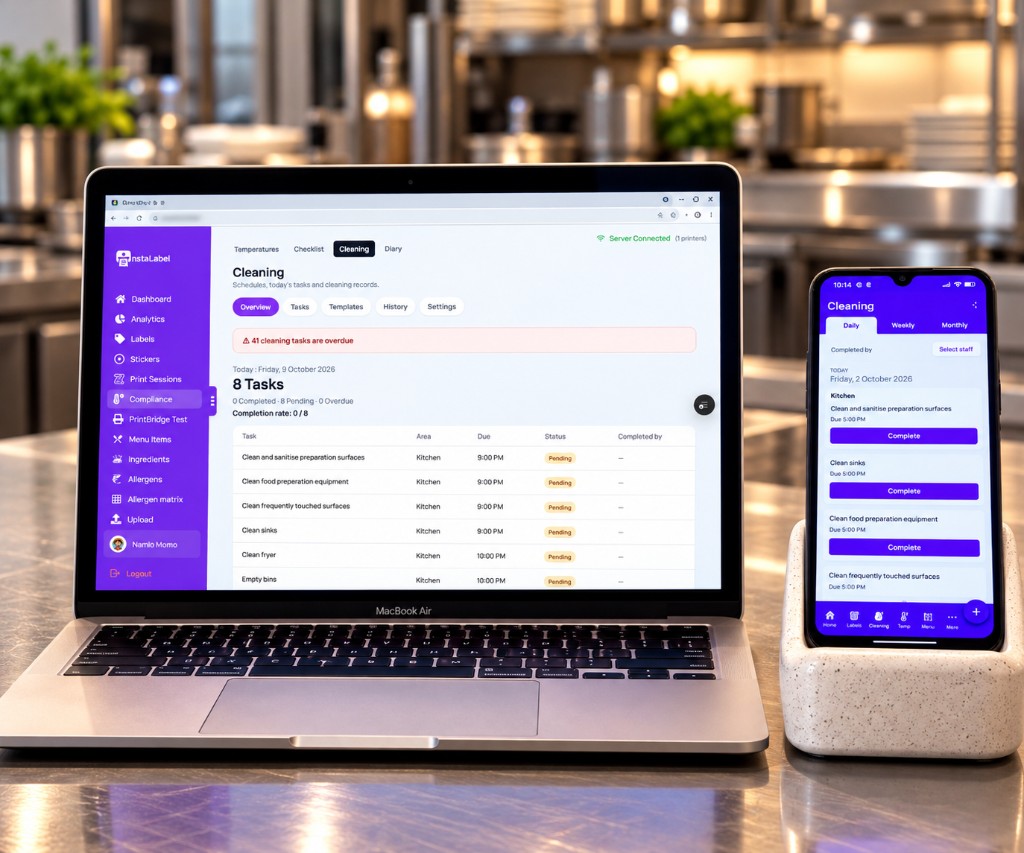
Labelling stays the main job. In the same dashboard you can keep the cleaning list: what needs doing, how often, and whether it was done.
Set the task
Choose an area, then daily, weekly or monthly. If a monthly date does not exist, the task runs on the last day of that month.
Staff complete it
On the Android app they open the tasks due, pick who did the check, and mark it done.
Look back by day
History is that day’s checklist, not a list of future dates. The PDF prints one page per day, using the business name on your profile.
One overdue email
If a task passes its due time and emails are on, the account receives one message. Opening the dashboard does not send another.
This records the cleaning checks you schedule. It does not replace your HACCP records or certify the kitchen.
Temperature records in the same diary.
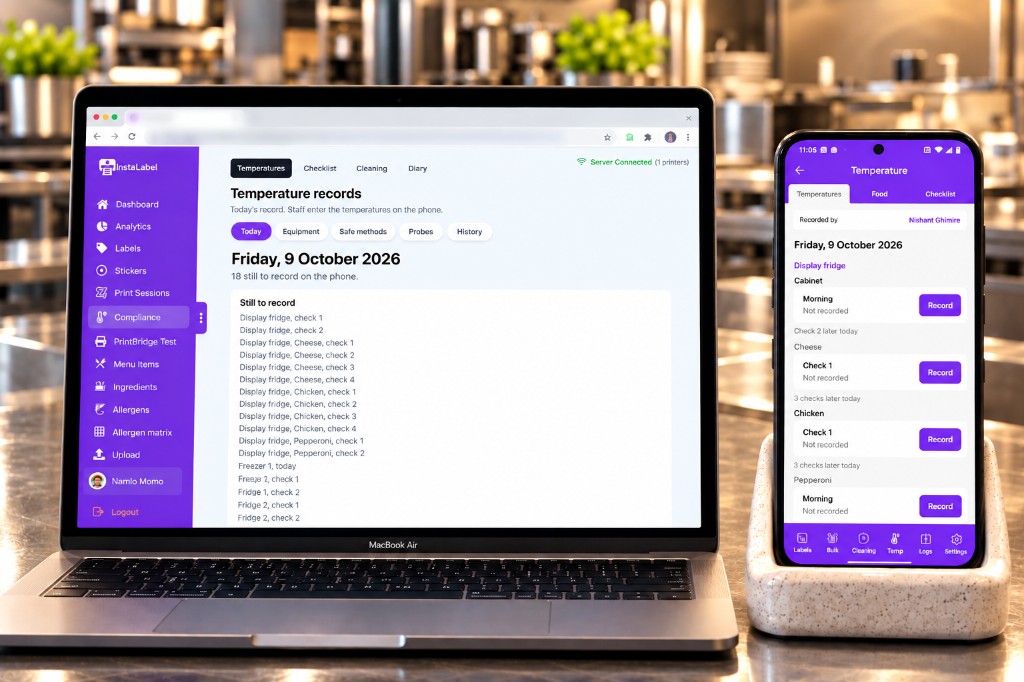
Staff enter equipment, food and delivery temperatures on the phone. The dashboard shows today’s record and what is still to enter. Those checks stay separate from the cleaning list.
The same records can build a matrix.
The allergen matrix uses the item records already saved for labels. Review it against current recipes and supplier information. A blank cell means nothing is recorded there, not that the item is allergen-free.
Bring a menu you already have.
Import a CSV, then review every row before anyone prints. Importing does not check that ingredients or allergens are correct.
- menu_item_name. The product or dish you label.
- ingredient_name. One ingredient used in that item.
- shelf_life_days. The number of days your kitchen has set for that ingredient.
- allergens. Allergen names recorded for that ingredient.